Big Mumbai Login – How to Access Your Account Safely
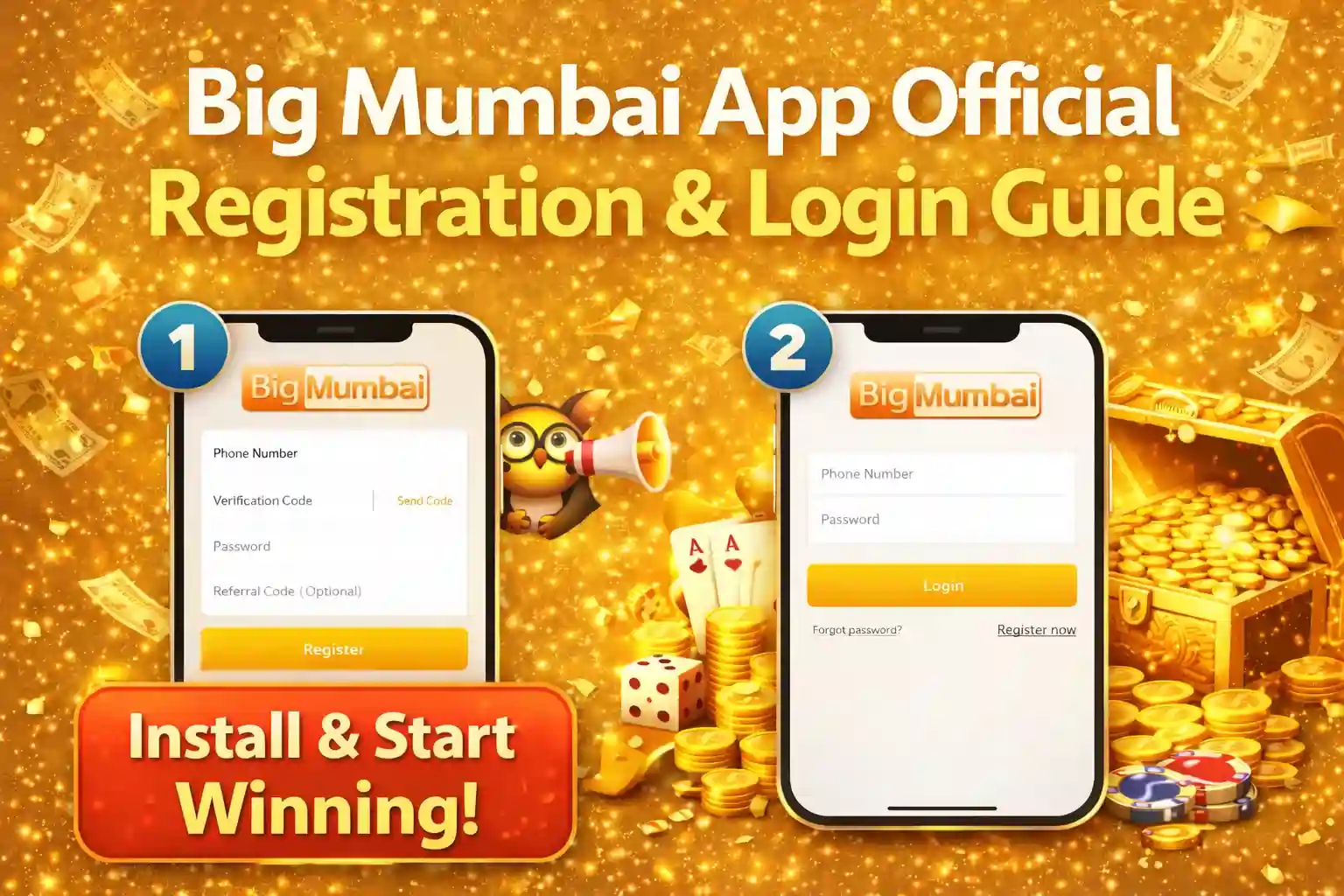
The Big Mumbai login page is mainly searched by users who already have an account and want to access it without confusion. Most users are not looking for explanations about the platform at this stage—they want to know where login works, how to log in correctly, and what to do if something goes wrong.
This guide focuses only on the login process and related safety points. It does not promote the platform or make claims about outcomes.
Where Big Mumbai Login Works
The Big Mumbai login works only in the mobile app.
There is no fully functional browser-based login system for gameplay or account access.
Some informational pages related to Big Mumbai may open in a browser, but actual account login and usage usually require the app. This is why users searching for “big mumbai login” are often redirected back to the app.
If you are trying to log in through a website and cannot find a login form, this is normal behavior for app-based platforms.
For app access, users generally follow the Big Mumbai App Download page before reaching the login screen.
Big Mumbai Login – Step-by-Step Process
Once your account is created, logging in is straightforward.
Below is a clear explanation of each step so users understand not just what to do, but why each step matters.
Step 1: Open the Big Mumbai App
Begin by opening the Big Mumbai app on your mobile device. Login does not work through a normal web browser for gameplay or account access, so make sure you are using the app itself. If the app does not open properly, it is usually due to a slow internet connection or an outdated app version.
Step 2: Select the Login Option
Once the app loads, you will see the Login option on the main screen. This option is meant for existing users only. If you accidentally tap on the register option, the app may ask you to create a new account instead of accessing your existing one.
Step 3: Enter Your Registered Mobile Number
The next screen will ask for your mobile number. This must be the same number used during registration. The system identifies your account through this number, so even a small difference will prevent login.
Users often face login issues because they try a different number or forget which number was originally used.
Step 4: Enter Your Account Password
After entering the mobile number, you will be asked to enter your password. This password is case-sensitive and must be typed exactly as created during registration.
If the password is entered incorrectly, the app will not log you in. In such cases, it is better to use the password reset option instead of trying random attempts.
Step 5: Submit Login Details
Once both the mobile number and password are entered correctly, submit the login form. The app will verify your details and, if everything matches, redirect you to your account dashboard.
If the app takes time to load after submission, wait a few seconds. Closing the app too quickly may interrupt the login process.
Step 6: Successful Login and Account Access
After successful login, you will have access to your Big Mumbai account and any available game sections inside the app. There is no separate login for individual games; everything works through the same account.
If you are logged out automatically after some time, it is usually due to a session timeout or app refresh, which is normal for mobile platforms.
Big Mumbai Game Login – What Users Often Mean
Many users search for “Big Mumbai game login”, which usually means the same thing as standard login. There is no separate login for individual games.
Once you log in to your Big Mumbai account, any available game sections are accessed from within the same account interface.
If you are being asked to log in again inside the app after already logging in, it is usually due to:
- App refresh
- Session timeout
- Internet connectivity issues
Common Big Mumbai Login Issues and Reasons
Login problems are common with app-based platforms, especially on mobile devices. Most issues are temporary and user-side.
One frequent issue is incorrect password entry. Users often forget the exact password they created during registration or confuse it with another account.
Another common problem is using a different mobile number than the one originally registered. Even a small change means the system will not recognize the account.
Sometimes, the app may not load properly after login. This is often caused by poor internet connection, outdated app versions, or temporary server maintenance.
Closing the app completely and reopening it usually resolves basic loading issues.
Common Big Mumbai Login Issues & What to Do
| Login Issue | Why It Happens | What You Can Do |
|---|---|---|
| Unable to log in | Incorrect mobile number entered | Use the same mobile number used during registration |
| Password not accepted | Password typed incorrectly or forgotten | Use the password reset option |
| App not opening after login | Slow internet or cache issue | Close the app and reopen it |
| Logged out automatically | Session timeout | Log in again (normal behavior) |
| Login screen not loading | Outdated app | Update or reinstall the app |
Password Reset Basics
If you forget your password, the Big Mumbai app usually provides a reset or recovery option on the login screen.
- Enter the registered mobile number
- Follow on-screen recovery instructions
- Create a new password after verification
If the reset option does not work immediately, wait and try again later instead of creating a new account.
Creating multiple accounts can sometimes lead to access restrictions.
Important Security Reminders for Users
Your Big Mumbai login details should be kept private at all times. Sharing passwords increases the risk of account misuse.
Avoid saving passwords on shared devices. Always log out after using borrowed or public phones.
Do not click unknown links claiming to offer direct login access. Always use the official app.
Login Safety and Responsible Use
Big Mumbai is an app-based gaming platform and should be accessed responsibly.
If you feel unsure about account activity, stop using the app temporarily rather than continuing under pressure.
Helpful Internal References
- Big Mumbai Homepage – full platform overview
- Big Mumbai Register page – for new users
- Big Mumbai Real or Fake page – trust and awareness
These pages help users understand the platform better before and after login.
Big Mumbai Login – Frequently Asked Questions (FAQs)
Can I log in to Big Mumbai using a browser?
No. Big Mumbai login works only through the mobile app. While some informational pages may open in a browser, account login and access are available only inside the app.
What details are required for the Big Mumbai login?
To log in, you need the same mobile number and password that were used during registration. There is no separate login for individual games.
I forgot my Big Mumbai password. What should I do?
If you forget your password, use the password reset option available on the login screen. Avoid creating a new account, as multiple accounts can cause access issues.
Why does Big Mumbai log me out automatically?
Automatic logout usually happens due to session timeout, app refresh, or internet connectivity changes. This is common in app-based platforms and not a security issue.
Is it safe to stay logged in on the Big Mumbai app?
It is safe only on a personal device. Avoid staying logged in on shared or public devices, and always log out after use for account safety.
Is the Big Mumbai login different from the Big Mumbai game login?
No. Both terms mean the same thing. Once you log in to your Big Mumbai account, all available game sections are accessed from the same account.
Final Note for Users
The Big Mumbai login process is simple once the correct details are used. Most issues come from small mistakes or temporary app delays.
Using correct credentials and basic security practices ensures smoother access.
This guide is informational only and does not promote platform usage.
Updated on: February 2026